
Start a Project
What we do
Capabilities Services Industries
Work
Selected work Case studies
Company
About Careers Contact
Start a Project
Selected work 02

Integrated Display Controller — one embedded controller for a full-flight simulator’s visual system.

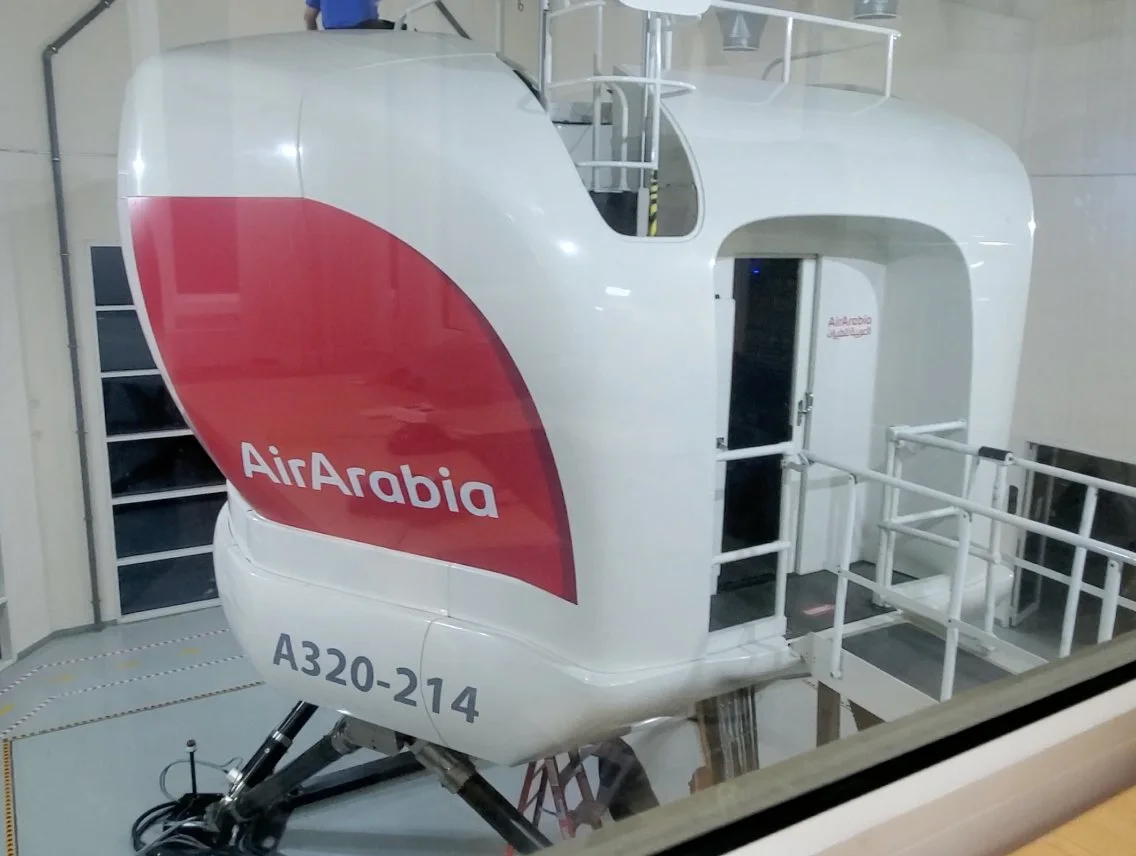
A simulator engineering company was building two A320-214 full-flight simulators for Air Arabia in Sharjah. We were engaged as the embedded engineering subcontractor for the visual system, and delivered the controller that drives the projectors, the blinders and the alignment routines, holds the calibration for each time of day state, and gives technicians local and remote access to all of it.
Client
Confidential simulator engineering company
End customer
Air Arabia
Industry
Aviation & simulation
Stage at start
Existing simulator programme
Volvix Systems role
Display control, maintenance software and system integration
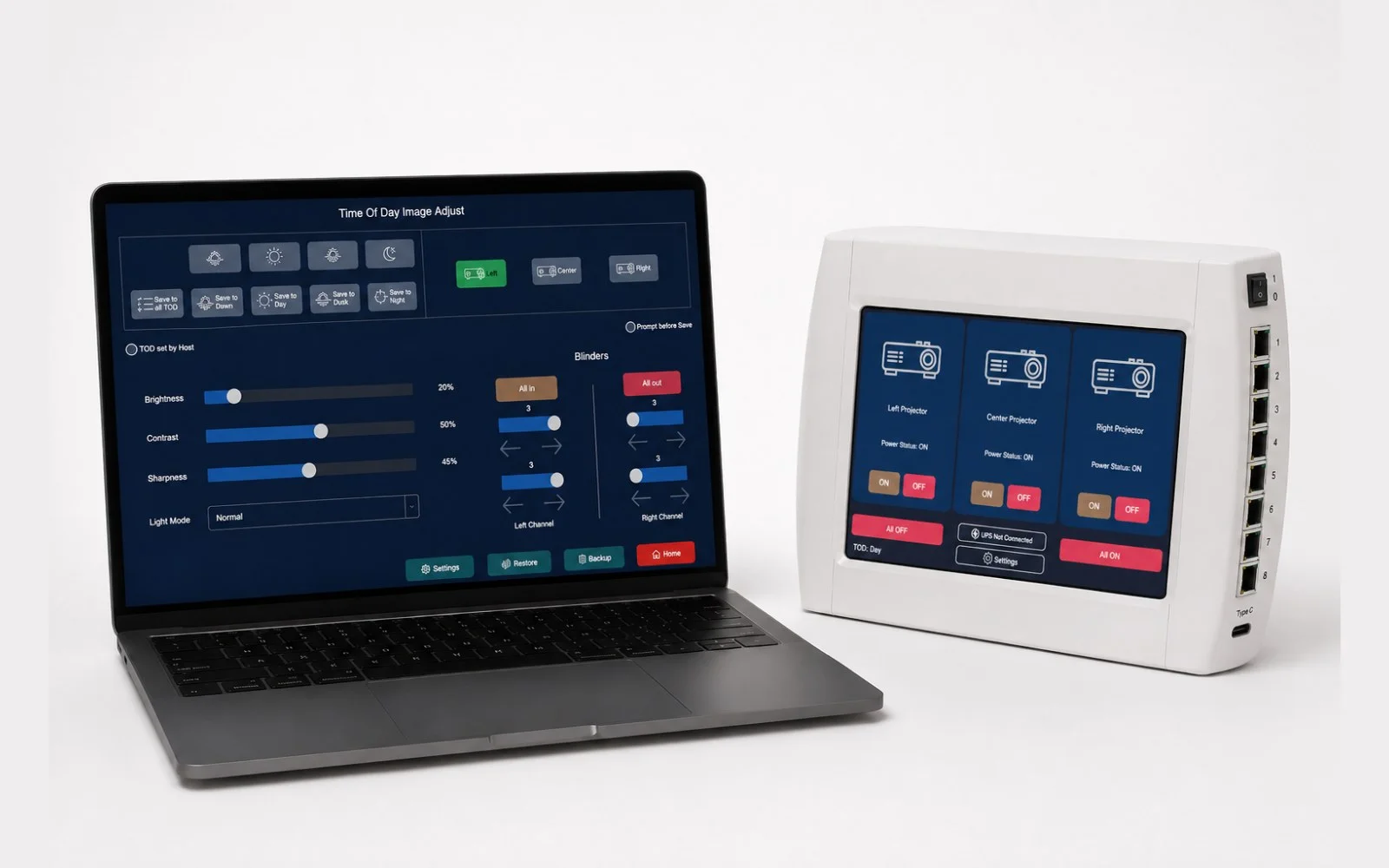
The maintenance application running on a technician’s laptop beside the display controller and its touchscreen
01 / The brief

A visual system that had to behave as one.

A simulator’s visual system is several machines — projectors, blinders, alignment hardware and the optical and control equipment around them — that a crew has to experience as one continuous image. The controller had to hold that system together and stay reachable by technicians during installation, alignment, calibration and service.

The requirement went further than sending commands to projectors. Alignment, system status, calibration data, time of day profiles, local control and maintenance access all had to arrive in one place: a wall-mounted controller with its own touch panel, installed at the simulator.

02 / The problem

Several display components. One maintenance workflow.

Settings and calibration data have to stay coordinated across every channel, while any single projector can still be taken out and adjusted on its own. Those two requirements pull against each other, and the controller is where they are reconciled.

It also has to run continuously inside the simulator, hold its configuration through a power cycle, and offer a separate maintenance interface without depending on the technician’s laptop being connected during normal training.

The image also has to stay right, not just start right. As the simulated environment moves through the day, the settings that hold the image together have to move with it, on every channel, without a technician in the loop.

And what the technician sees matters as much as what the system does. Projector status, system health and calibration state have to be readable from inside the simulator and from the maintenance workstation — and the two views have to agree.

Client IP
Integrated Display Controller — developed under subcontract within the client’s simulator programme.
Held by the direct client. All intellectual property arising from our engagement remains with the client.
03 / What we did

One controller was developed to sit between the projectors, the blinders, the alignment hardware, the host system and the maintenance application: our own embedded control software, a local touchscreen on the panel, stored calibration for every time of day state, and a maintenance path that stays out of the way during training.

01Embedded control system — Our own embedded control software runs the controller and holds the state the whole visual system depends on. It operates on its own through normal training, and exposes the same controls to the maintenance application when the simulator is being serviced. 02Projector control — Centralised power, state and status handling across the projector channels, with individual channel selection when calibration or service needs it. Projector state, temperature, fan condition and network connectivity are surfaced in the interface rather than left to be inferred. 03Blinder control — The blinders and their control electronics were designed here. Blinder position is driven per channel from the same controller as the projectors, and moves with the ambient setting rather than being trimmed by hand. 04Alignment — Automatic and manual alignment are started and configured from the controller, working with the reference alignment hardware in the display system. Alignment stops being a separate procedure with its own equipment and becomes a function of the display system. 05Time of day and calibration — The controller follows the time of day the simulation is running and applies the calibration held for it, across every channel. Dawn, day, dusk and night each carry their own settings, including infra-red illumination and anti-smear; calibration is stored in non-volatile memory inside the controller, and date-stamped backups can be kept locally or on the network. 06Maintenance application — A dedicated application for the technician’s laptop, giving access to projector control, calibration, configuration and system status. The laptop can be unplugged and stowed while the simulator is in use, and the controller carries on without it.

Underneath all six, the controller keeps watching. Temperatures, fan speeds, connectivity and diagnostic state are monitored continuously and reported to both interfaces; projector hours are tracked for maintenance planning; abnormal conditions can be notified rather than discovered. Projectors can be dropped into standby when the simulated eye point has not moved for a set period, and a warning from the power system begins a controlled shutdown.
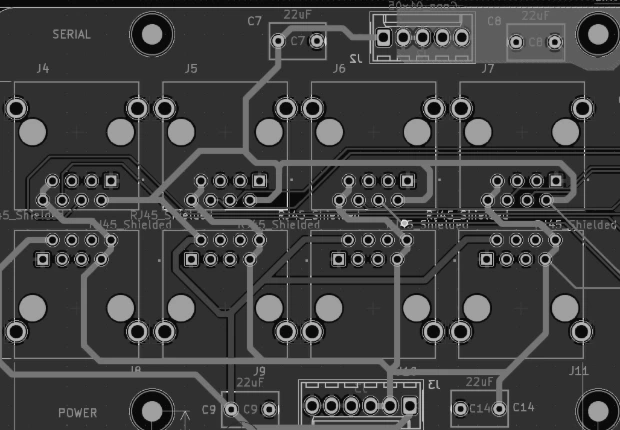
Layout view of the blinder control module
Blinder control module
One module to drive the blinders alongside the projectors.
Designed here as part of the display system rather than bought in, so blinder control shares the controller, the wiring and the maintenance interface used for the projector channels.
One of the two A320-214 full-flight simulators on its motion base in Sharjah
FIG. 01 — A320-214 SIMULATOR, SHARJAH
04 / Where it stands

Two simulators. One control architecture.

Before
Multiple display components, each needing its own coordination and service.
After
A central embedded controller with local and remote interfaces for control, calibration and monitoring.
Next
A maintainable control architecture for continued operation, calibration and service.

Have a product or system you are trying to build?

Tell us what you are working on and what you need help with.

Start a Project